Start here
Connect one account, ask for one result, and let Meridian suggest what to do next.
Meridian is a workspace where you and a team of AI agents work over your company's email, calendar, files, and records. You ask for a result in plain words. An agent reads what you are allowed to see, does the work, and shows you what it did. Anything that changes a record or leaves the workspace waits for your approval first.
Steps
- Connect your tools. When you sign up, Meridian shows one screen called Connect your tools with Gmail, Google Calendar, Google Drive, HubSpot, Notion, Linear, and GitHub. Connect one or two. They are optional, and you can add more later in Settings → Connections.
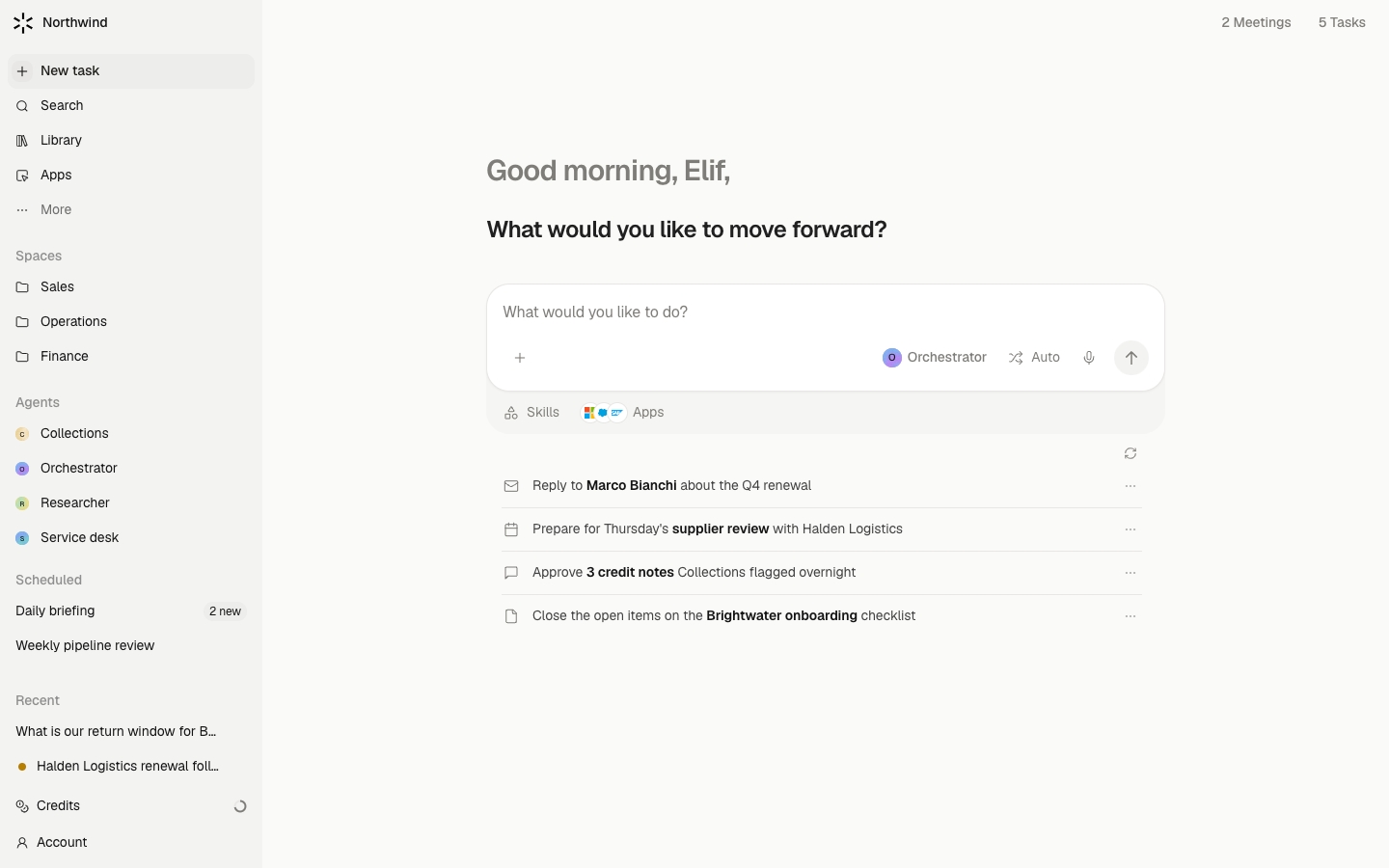
- Land on Today. After a short welcome you arrive on Today, your home. It greets you, shows one headline, a composer, and a list called Suggested for you built from your accounts. The sidebar row New task always brings you back here.
- Ask for one result. Type what you want in the composer and send it. Good first requests are small and checkable: "Draft a reply to the latest email from Acme", "Prepare me for tomorrow's 10:00 meeting", or "List the deals with no next step".
- Read the answer and the approval cards. The agent works in a chat. When it wants to send an email or change a record, a card appears asking you to approve. Nothing goes out until you say so.
- Turn on a teammate. Open Agents in the sidebar (under More). Each card shows a state word such as On for you or Off. Turn on the Meeting Assistant or the Inbox Assistant and its jobs start running for you.
What waits for your approval
Sending an email, posting to Slack, writing to a connected system, sharing something with more people, and deleting data all stop at an approval card. Reading your accounts, searching, drafting, and summarising happen on their own.
Limits
- Meridian reads only the accounts you connected and the files you can already open. Connecting an account does not give anyone else access to it.
- A connected account imports a bounded window of history, not everything you ever received. Counts and searches cover what was imported.
- Outlook, Fireflies, and Gong are not available yet. They are listed as coming soon in Connections.
- On a phone, Meridian shows one screen at a time. The iPhone app is in beta; ask your workspace admin for access.