Jobs and triggers
Jobs run on a schedule, on an event, or when a record changes, for each member who turned the agent on.
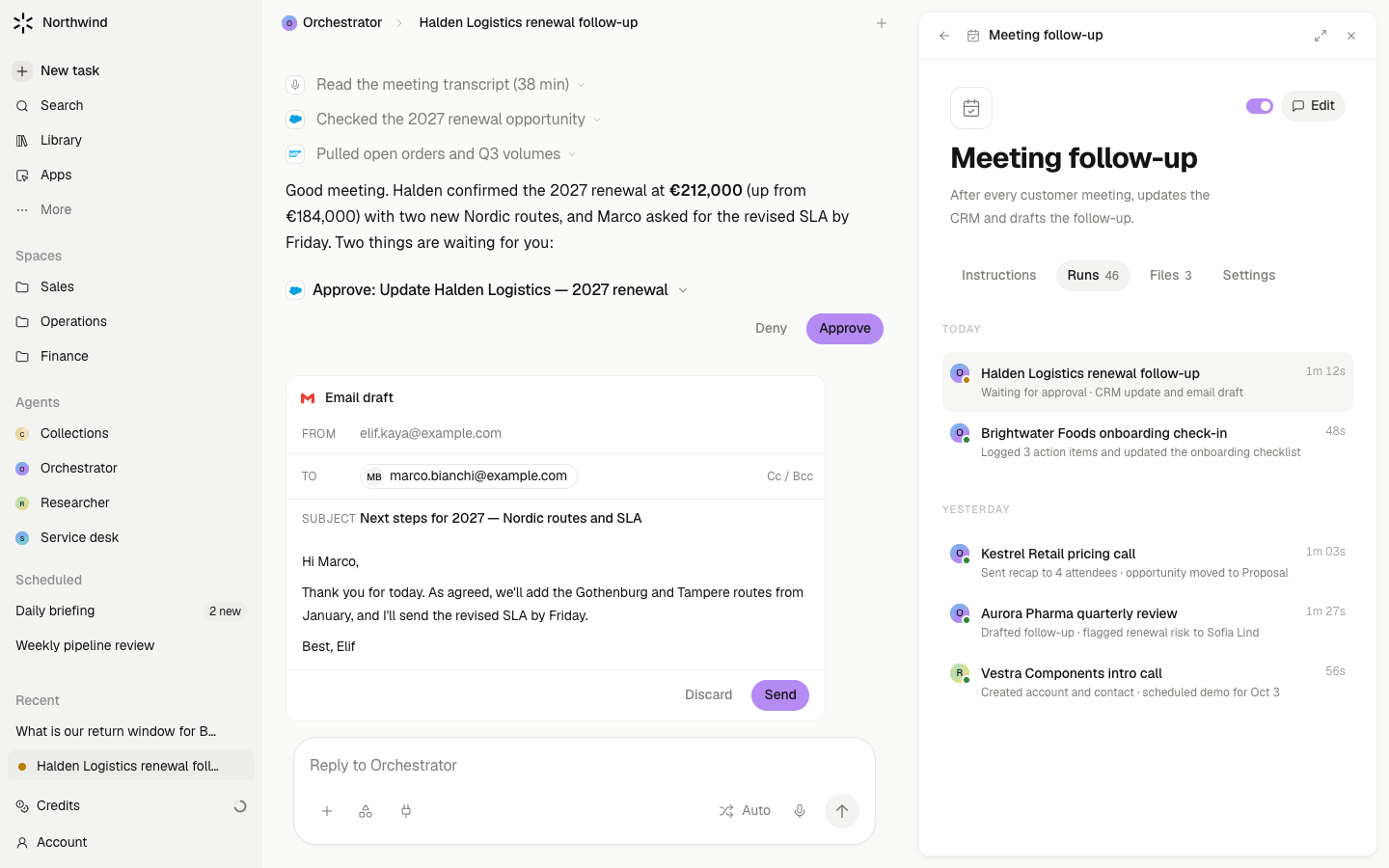
A routine is instructions that run without you typing them. When a routine names an agent, it is that agent's job and appears on the agent's About tab. Every fire is a run inside a chat, so you can open what happened. A job runs for each person who has the agent on, with their accounts and their approvals.
Steps
- Create one in chat. Choose New routine on the Routines page, or just ask. The composer pre-fills "Set up a routine that ". Finish the sentence: "…checks HubSpot every weekday at 08:00 and lists deals with no next step". The agent writes the routine and shows it to you before anything runs.
- Choose a trigger. A routine can fire on a schedule (daily, weekdays, a cron expression), once at a time you name, when a record is created, updated, or a field changes, on a channel event such as an email received, a calendar event created or updated, or a meeting whose transcript, prep, or recap is ready, on a custom event your own code sends, or manually.
- Run it once first. Use Run now on the routine and read the result in its Runs tab. Correct the instructions on the Instructions tab, then turn on automatic runs with the switch in the header.
- Turn it on for yourself. On the agent's About tab, the switch beside Routines turns the agent's jobs on for you, with one switch per job. Turn on for the workspace appears for admins when a job is off for everyone.
- Point it at a Space. In the routine's Settings → Triggers, a trigger can carry a Space as its destination. Its runs then land there, and the Space's rail counts them under Routines.
What waits for your approval
The routine's own actions follow the usual rule: reads and drafts run; sending, writing, and sharing park on a card for the person the run is for. A routine's preferences let you set a specific action to always ask. Delivery to anyone but yourself asks.
Limits
- A job runs only for members who have the agent on and hold every account it needs. Others are skipped silently, without an error.
- A member-authored routine can run for colleagues only when it names a shared agent its author edits. Otherwise it runs as its owner alone.
- A routine that acts as its agent, not as a member, needs a Space and an accountable person, or the fire is recorded as failed.
- Runs per fire are capped (100 by default). Beyond that the ledger notes who was skipped.
- A routine cannot be shared on its own. Sharing its agent shares its jobs.