Build your own agent
Creating an agent is a chat; its name, skills, accounts, and audience live on its Settings tab.
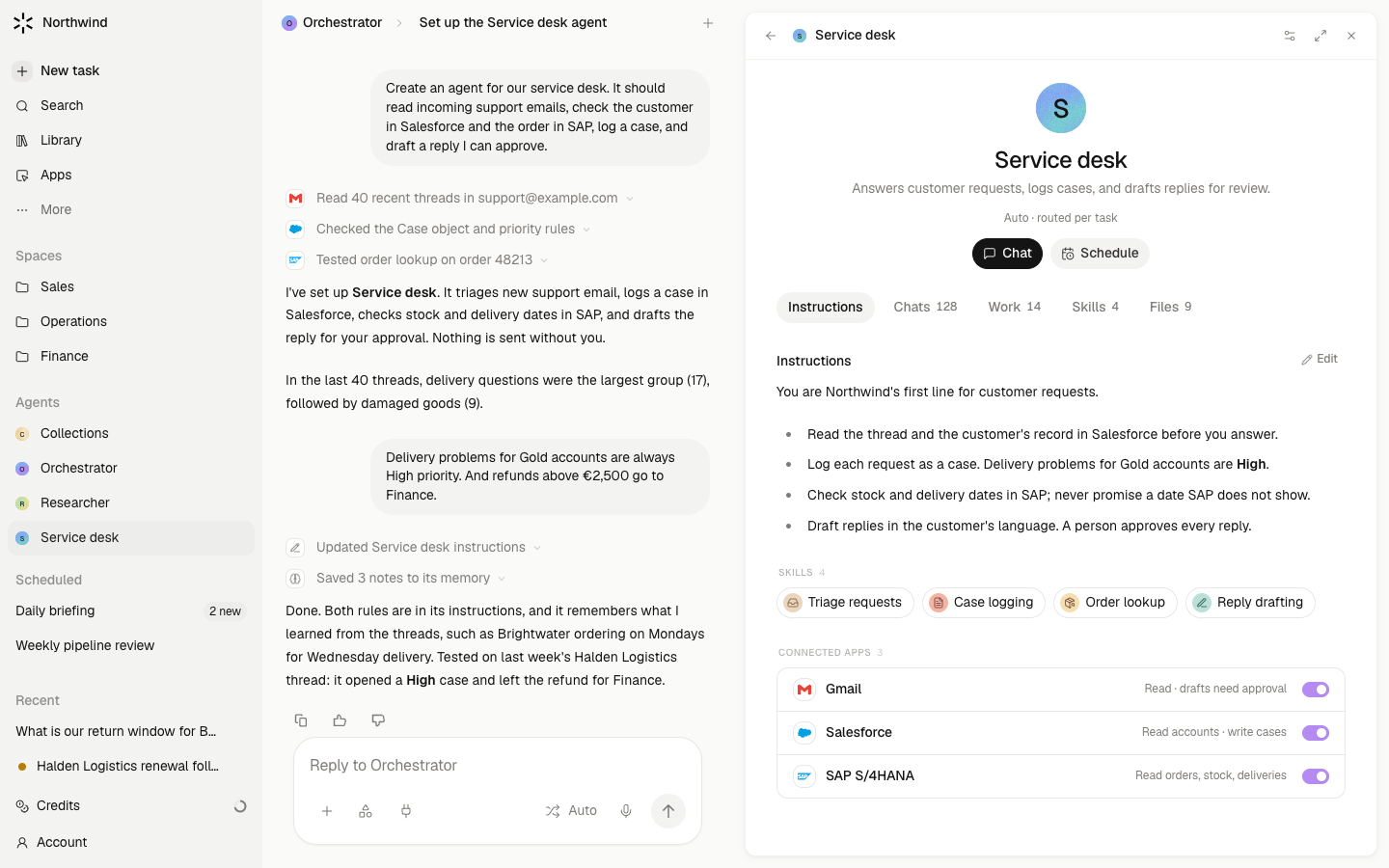
There is no form for a new agent. You describe the teammate you want, and Meridian creates it in the chat. From then on the agent has a page with three tabs, About, Settings, and Logs, where you shape what it knows, what it may use, and who may use it.
Steps
- Describe it. On Agents, choose New agent. The composer pre-fills "Create an agent: ". Say what it is for, what it should read, and what it should produce: "…a Renewals Keeper that watches contracts ending in 60 days and drafts outreach for me to review". Meridian proposes a name, description, and instructions and creates the agent after you agree.
- Tune the words. On About, Instructions is the agent's own text. It renders as a document and edits in place. Keep it about judgment: what good looks like, what to leave out, how to write.
- Set what it may use. On Settings, give it a Name, Description, Model, and, for work that needs particular software, a Computer. Under Skills, Add skill attaches one, and Find skills automatically lets it use any skill that fits. Connected apps works the same way for connectors.
- Decide who may use it. Under Access, Available to sets the audience: just you, a Space, or the workspace. Shared with names people or groups and whether they may edit. For members sets whether it is offered and whether it starts on once someone has the accounts it needs.
- Give it jobs. Ask it to set up a routine, or create one with New routine and name this agent. The job then appears on About, with a switch for each member.
What waits for your approval
Creating the agent, and later changing its instructions or settings through chat, go through an approval card. Edits you make on the page save directly. Attaching an account to the agent so it can act as itself opens a chat, and that card decides. Publishing it to the whole workspace needs an admin.
Limits
- An agent cannot be given access you do not have. Sharing it shares its instructions and skills, not your accounts.
- An agent that acts as itself needs an Accountable person under Acting as itself; without one, its own runs are rejected.
- Allowed without asking starts empty. Standing permissions are granted one at a time from an approval card, never typed in.
- Agents made by members start private with skill discovery on. Workspace-wide publication is explicit.
- A new agent has no memory until it has done some work.