Databases and tables
Synced records are read-only in the Workspace database; your own tables live in Databases you create.
Meridian keeps structured data in real Postgres tables, and shows them in one viewer. The Workspace database holds everything synced from your accounts: email threads, calendar events, meetings, HubSpot records. It is maintained by Meridian and is read-only. Your own tables live in Databases you create, which agents can write to and apps can use.
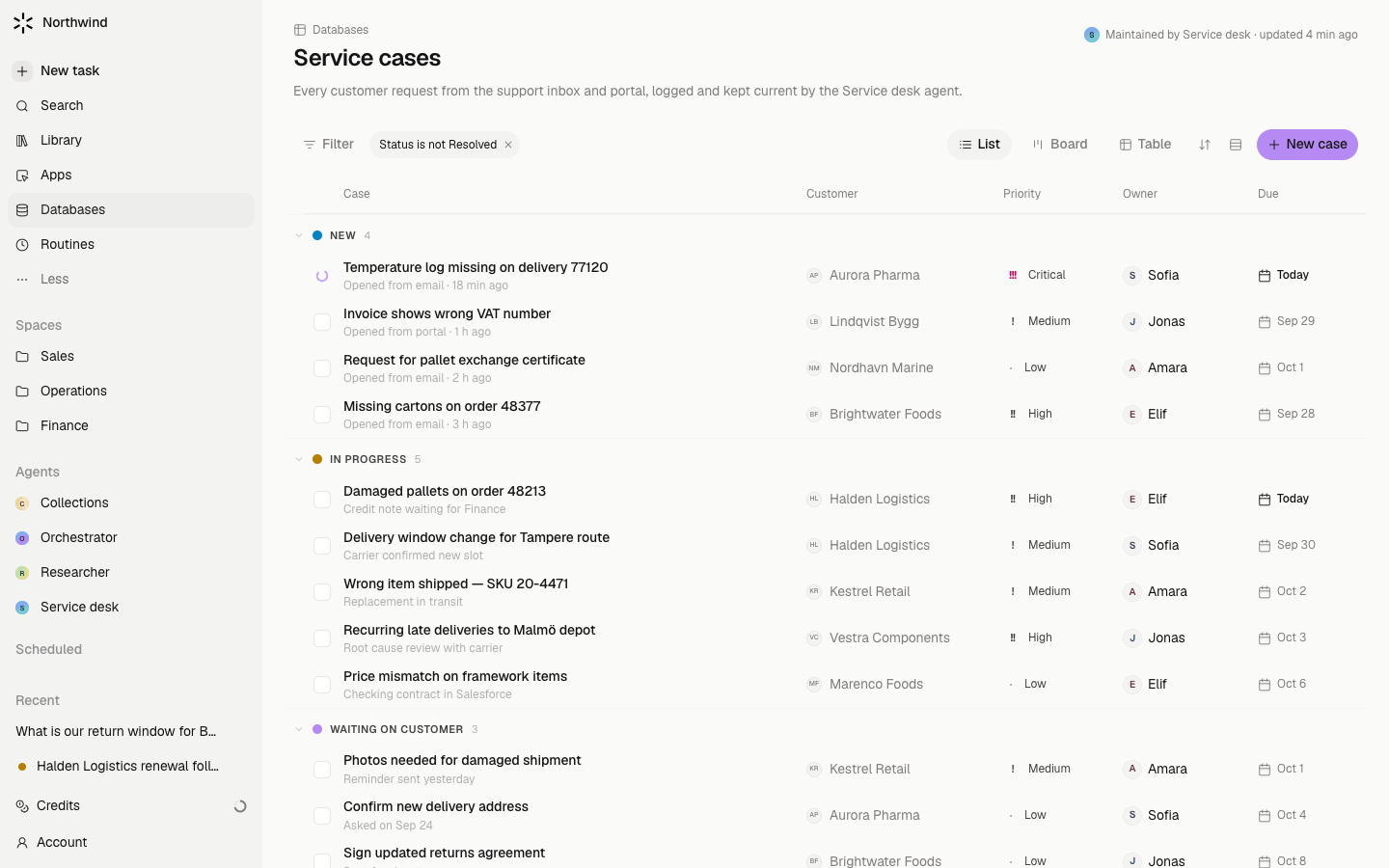
Steps
- Open Databases. In the sidebar, under More, choose Databases. The page lists every database in this workspace. Open one to see its tables and records.
- Read synced records. Open Workspace and pick a table. Search rows, sort, and use View options to choose what to Show, Group by, and which Fields to display. Open a row to see the record, its linked records, and the files behind it.
- Create your own Database. Choose New database. It starts a thread; tell the agent what the tables are for and it creates the Database and its schema. Inside a Database, New table adds another. Rename and Delete sit in its menu.
- Edit like a spreadsheet. In your own tables, edit cells in place, add rows, and save views with their filters, sorts, and grouping. Kanban, calendar, and gallery views are available beside the grid.
- Add an AI column. AI column adds a field the agent fills for each row from a prompt, such as "one-line summary of the last call", computed on request.
What waits for your approval
Creating a Database that only you can see, and writing its schema or rows, run without asking. Changing a Database that is shared or used by a deployed App, sharing it, and deleting it ask on a card. Agents query with read-only SQL unless the card says otherwise.
Limits
- The Workspace database cannot be written to, by you or by an agent. Custom tables there from before this rule stay readable but cannot be changed.
- Synced records keep their source. A HubSpot company and an email from that company are separate rows; Meridian does not merge them into one customer.
- You see rows your accounts and grants allow. Two people opening the same table can see different rows.
- A Database created inside a Space belongs to that Space and cannot be attached to an App.
- Importing a CSV into a table is done by an agent, not by a button in the viewer yet.